The band
Virtual band
Record a loop and hire a band. JAMMER MAN reads your chords, your bass notes, your rhythm and your accents, and each player makes the decisions a trained player of that instrument makes: what to play, where to voice it, when to push and when to leave room.
Then they play it as a band. They share one pocket, phrase in eight bars, leave each other room, swell into every arrival and land the ending together. Every note is MIDI, played on sampled and modelled instruments, and yours to edit.
No other looper puts a band around what you record.
- 7 kinds of player: drums, bass, keys, guitar, percussion, strings, horns. Any number of each.
- 692 grooves and 624 fills from drummer performances
- Grooves written in 6/8, 12/8, 3/4, 5/4 and 7/4
- MIDI export, one track per player
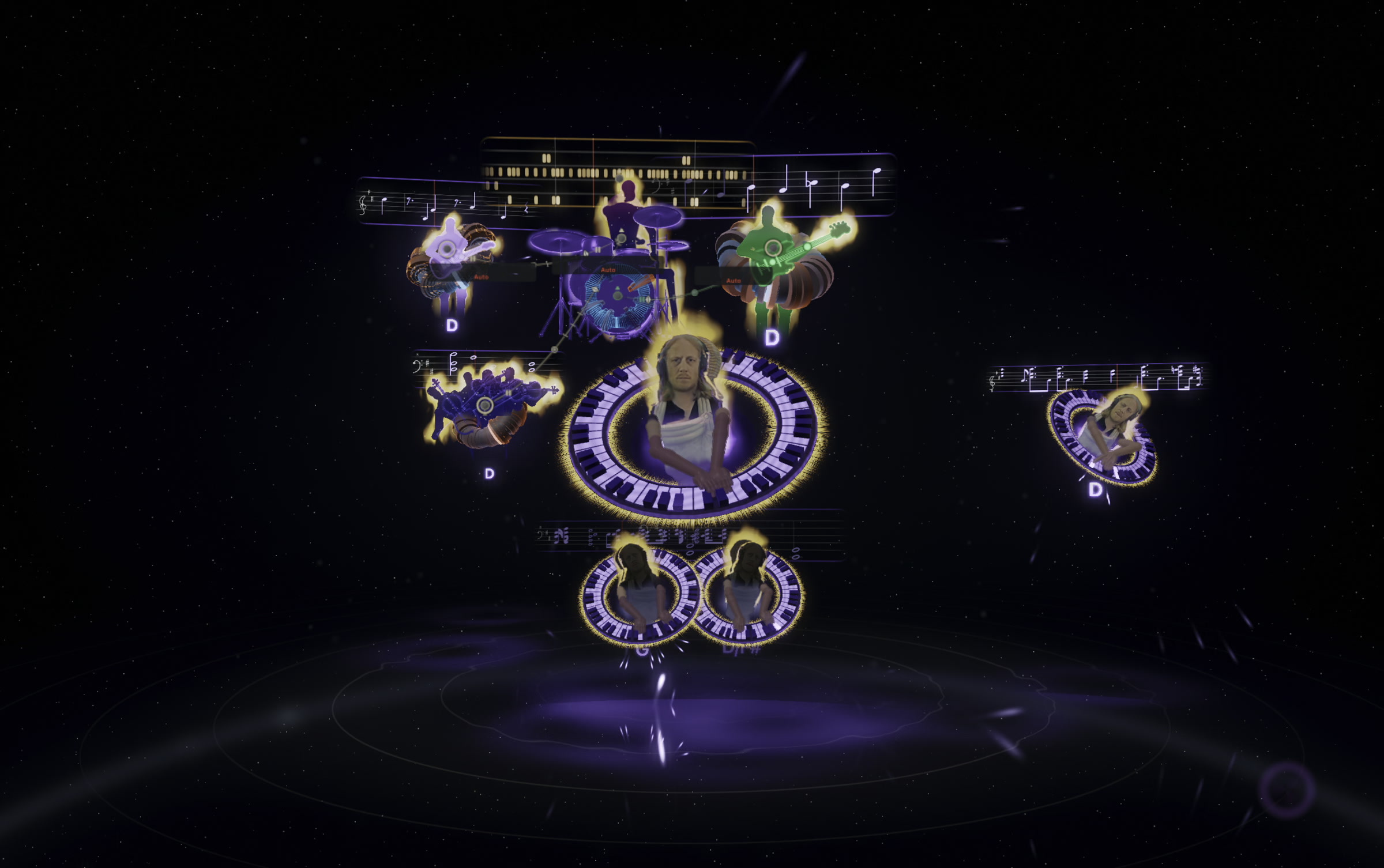
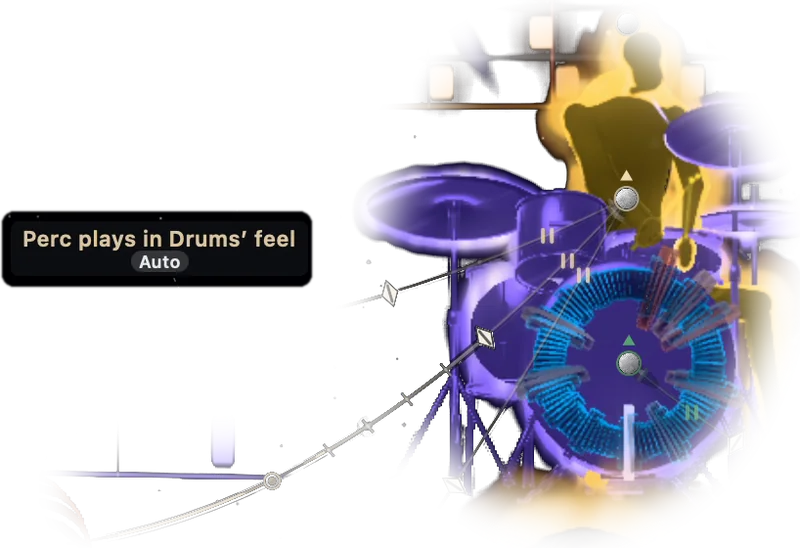
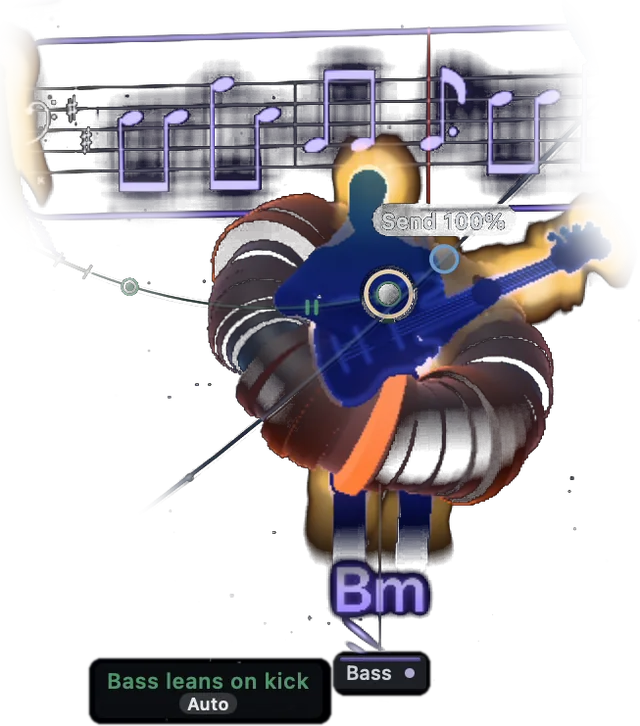
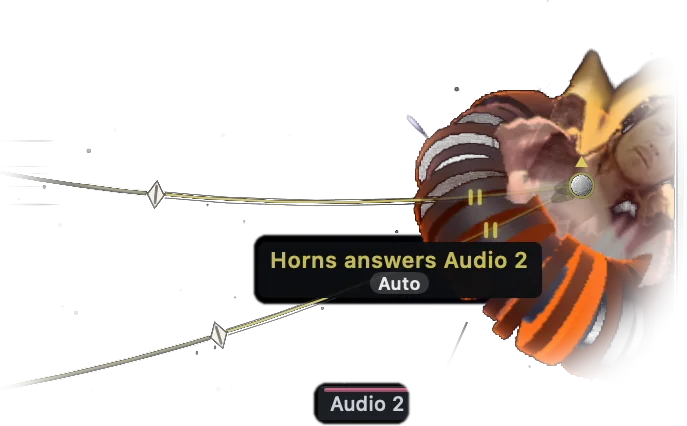
Cable labels show what each part takes from another.
How the band plays
Each part is built from the vocabulary of its instrument and from the craft of playing it: voice leading, approach notes, register and phrasing.
Drums
692 grooves performed by drummers and 196 written ones. Grooves in 6/8, 12/8, 3/4, 5/4 and 7/4 are written in that meter, never a 4/4 beat bent into the bar. The drummer plans each bar as establish, answer, develop or turnaround, plays ghost notes around the groove's own backbeat, opens the hat into the next bar and keeps the crash for the top of a section. The kick works around the hits of your riff.
Bass
64 figures, among them Motown 1-5-6-8, Jamerson syncopation, funk 16ths with ghost notes, tumbao, one-drop, two-feel and walking lines. Every note is written as a function: a chord tone, a chromatic or dominant approach, a passing note, an anticipation of the next root. So a sus, a half-diminished or a slash chord gets the right note, and the one is marked without being hammered.
Keys
25 comping rhythms, among them Charleston, Red Garland upbeats, gospel shout, bossa nova and double skank. 13 voicing families, among them shells, guide tones, rootless A and B, drop-2, quartal and gospel spread. The voicing moves by the smallest motion, holds common tones, keeps the top voice from leaping past a third and never puts a muddy interval down low. Tensions come from the key.
Guitar
Strums with downstrokes from low to high and upstrokes on the top strings, with muted chops. Skanks, arpeggiates, pads or plays a counter-line into the keys' rests. Sits above the piano's top note and leaves the low strings to the piano.
Horns and strings
Horns play stabs, unison riffs that move with each chord and held backgrounds, trumpet and alto above trombone and baritone. Strings play a voice-led pad that holds common tones across a change without re-bowing, a counter-line or pizzicato. The cello takes the root only when no bassist is playing. Both swell into each phrase top.
Percussion
Clave in 3-2 or 2-3, cáscara, conga tumbao and marcha, shaker, tambourine, cowbell. The hands move onto the triplet when the drummer shuffles, and the clave is never moved.
Together
Bass, keys and guitar share one pocket, with the same drift from bar to bar. The band phrases in eight bars as statement, answer, development and return, and plays more at bar 32 than at bar 8. A player lays out for a whole phrase so another can be heard. Nothing on a downbeat or a chord change is ever moved, and the ending lands on the home chord with every player on it.
Chord detection and following
You do not type in a key or a chord. Play, and JAMMER MAN writes the chart: the chords, the slash basses and the key of each section, from audio as well as MIDI. Every loop you add is heard together with the others.
Record a new section and the band reads its chords and comes in on beat 1 playing them. Edit one chord on the sheet and seven kinds of player move to it, and so can the audio you recorded.
- Editable lead sheet with a chord wheel
- Lock the detected chart, or write one before you play
- Live chord name over the input while you play
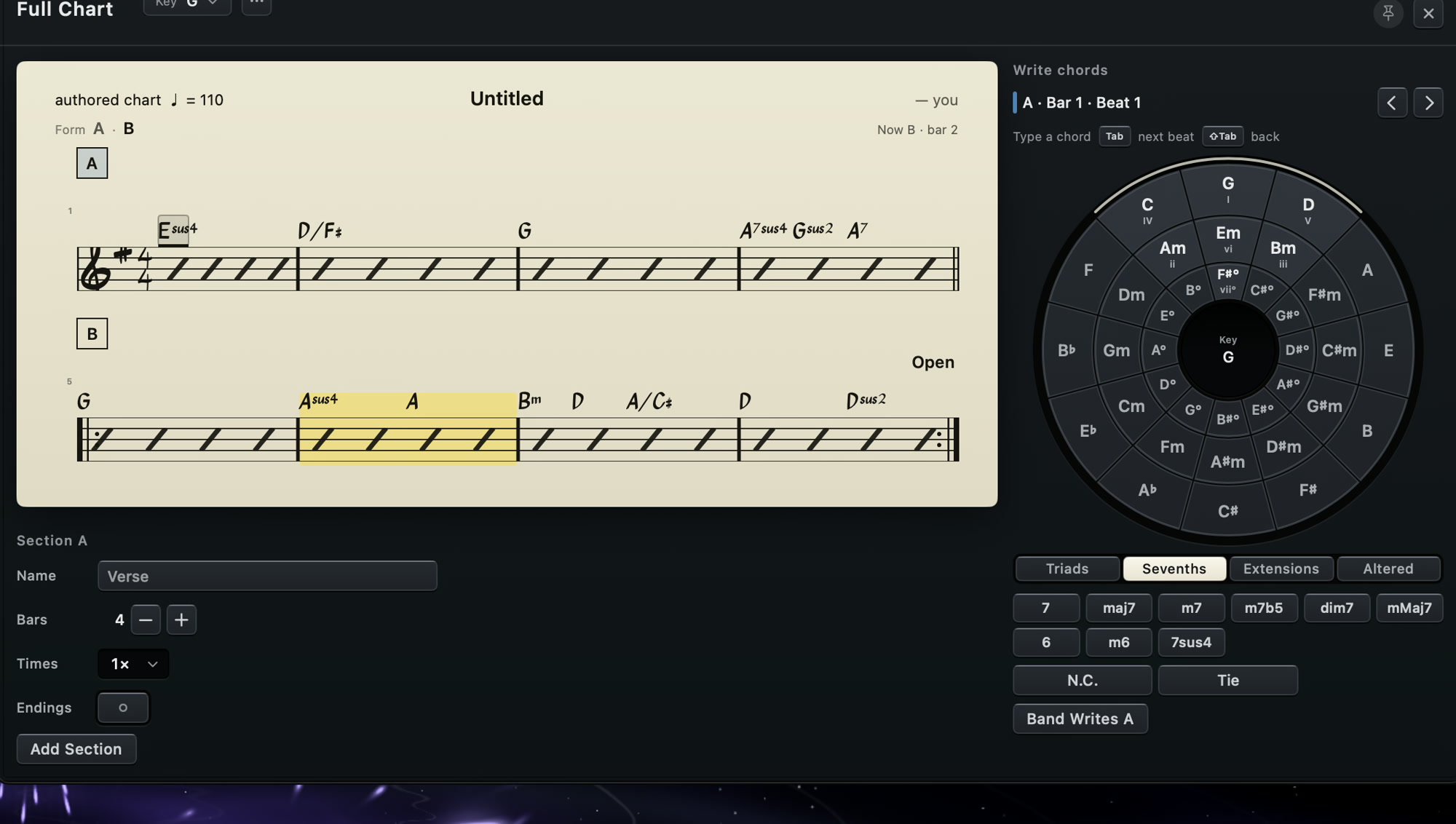
Lead sheet generated from a session, with chord wheel.

Interplay between players
Every player in JAMMER MAN plays to someone, the way a rhythm section does, and you can see it. Each relation is a cable on the stage: the kick working around your riff, the bass sharing the kick's anchors, the horns answering your phrase.
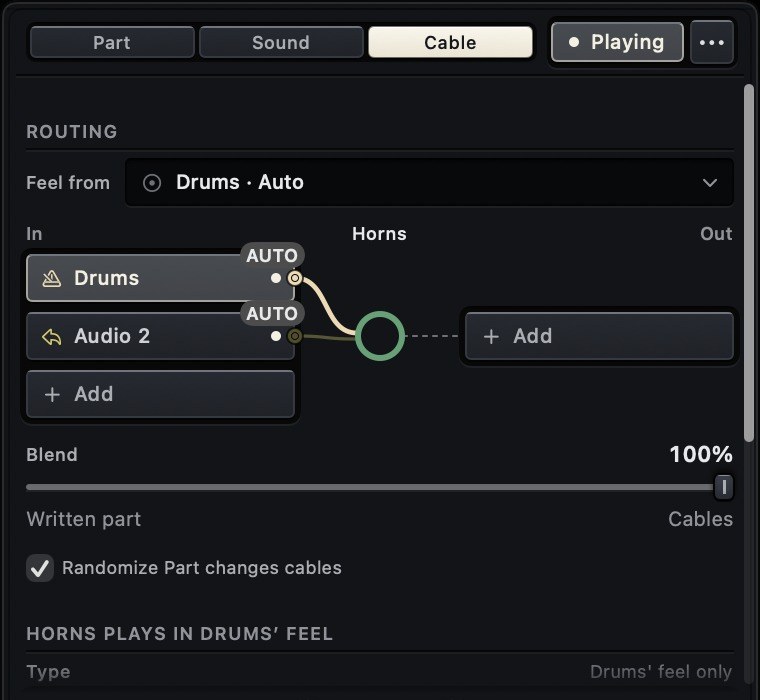
You rewire the band the way a bandleader gives notes. A player can lock to another, lean on it, answer it, dodge it, trade bars with it, copy its rhythm, play three over its two or take only its feel. A cable starts at any loop, any player or one limb of the drummer, and blends against the written part from 0 to 100%. Drag a cable or type a sentence.
Eight ways for one player to play to another, drawn as cables you can rewire. No DAW has this.
- 8 cable types: lock, copy, against, trade, lean, dodge, answer, feel
- Triggers per cable: every hit, 16ths and up, 8ths and up, strong hits, downbeats
- Sidechain duck and swell with depth, attack and release
Parts and phrasing
Your loop repeats, and the band plays the form over it. Every eight bars is a statement, an answer, a development or a return. At the end of a phrase the bass walks in, the comping pushes, the percussion lifts and the horns and strings swell, a little at bar 8 and a lot at bar 32. Players lay out for whole phrases to leave each other room, and the arrangement is the best of six the band tried for space, contrast and conversation.
The written part never changes. The performance does, as it does with players, and nothing on a downbeat or a chord change ever moves. When you end the song, every player lands the home chord with a hit, a tag or a fade.
Steer any of it with 2,522 playing styles, a Weirdness dial per instrument, or the piano roll.
- Energy, density and humanize for the whole band
- Per-voice drum timing: snare behind, kick ahead
- A new part for any player in one step. Undo restores the old one exactly.
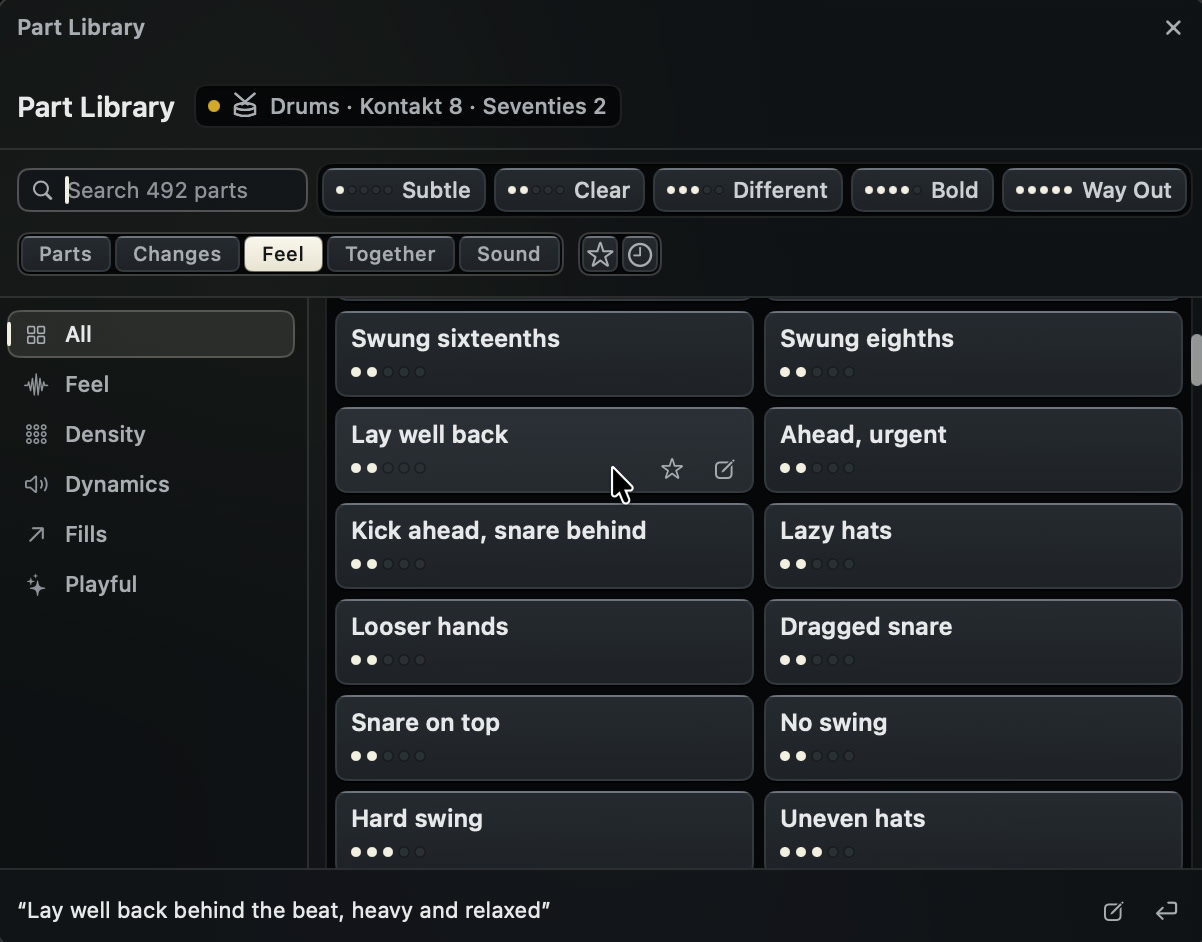
Drum part library, Feel tab.
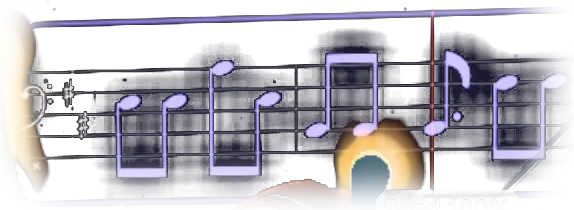
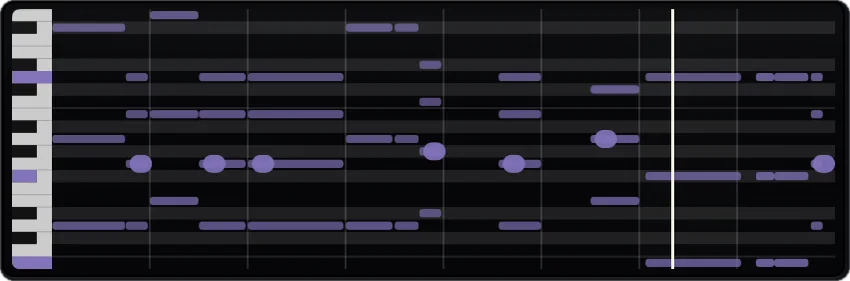
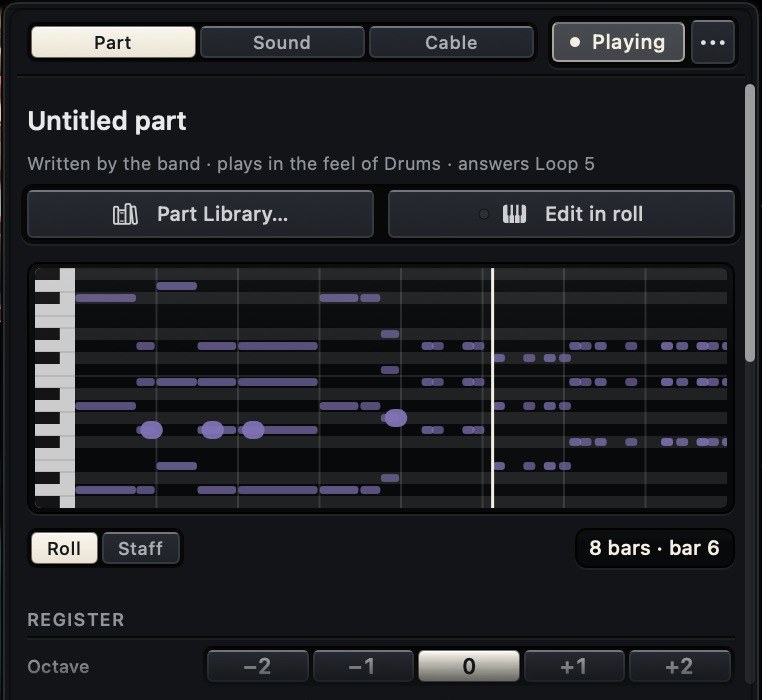
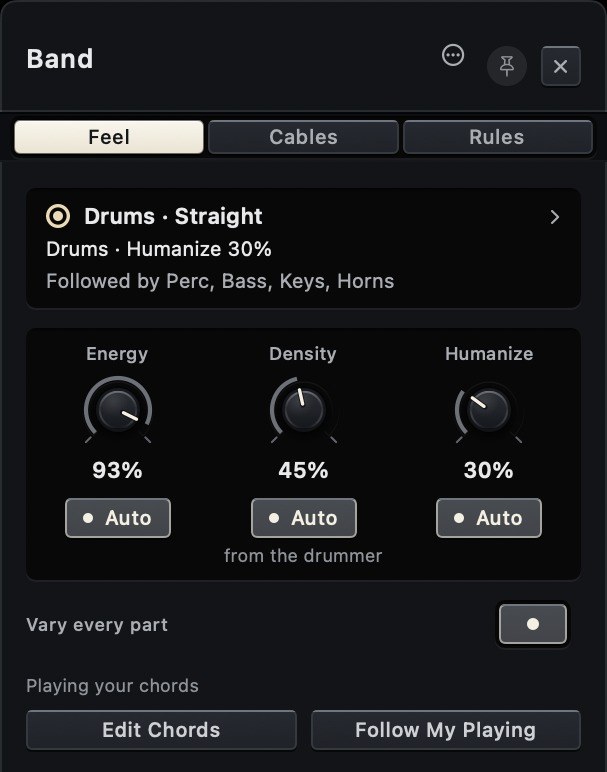
A player placed on the stage starts with a part written for the song.
Direction
Musical steering in plain English
Direct the band in your own words. "Strip it to drums and bass for 8 bars." "Guitar takes a solo, everyone else sparser." "Bass on top of the beat, drums laid back." "Climb into each chord change." "Modulate to F sharp minor."
The band does it on the next bar. The AI writes a new part as MIDI notes against your chart and the rest of the band, changes a sound, adds an effect or replugs a cable. Speak to one player or to everyone, for four bars, for the bridge or for the whole song. Tell the bass to leave beat one empty and it stays empty until you say otherwise.
Other virtual players are set with sliders and menus. These take direction.
- Every new part is checked against your request before it plays
- 2,522 ready-made directions to browse
- Recorded loops take instructions too: trim, reverse, gain
- Only text and notation are sent. Audio and video stay on the Mac.
Example instructions. The applied change is listed under each reply.
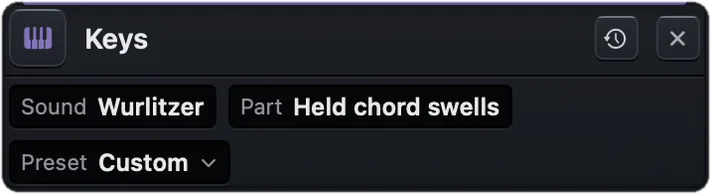
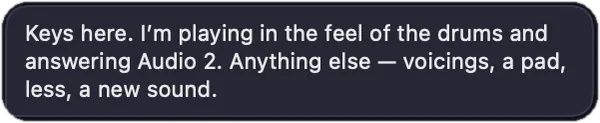

Sound
Bundled instruments and effects
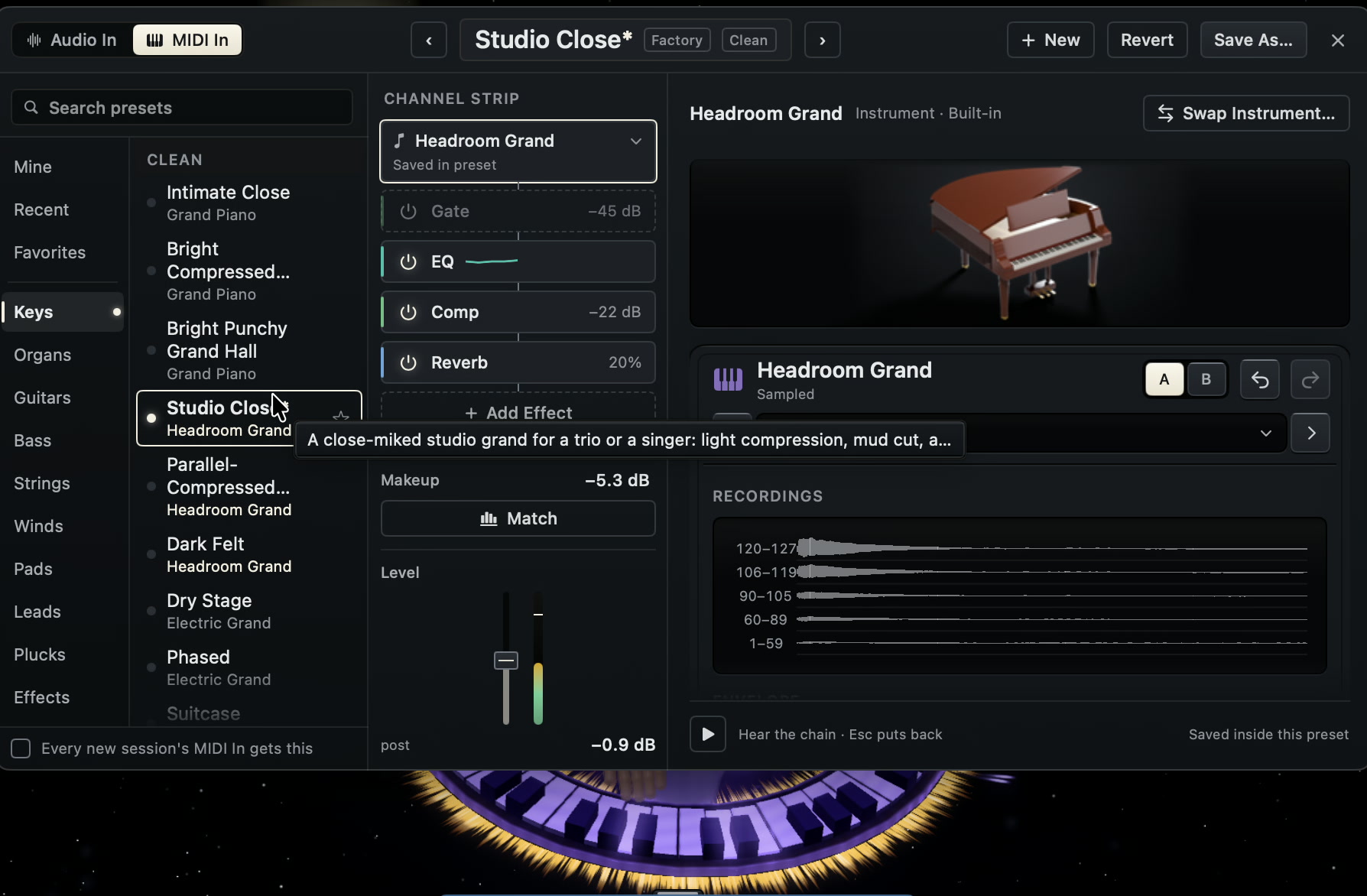
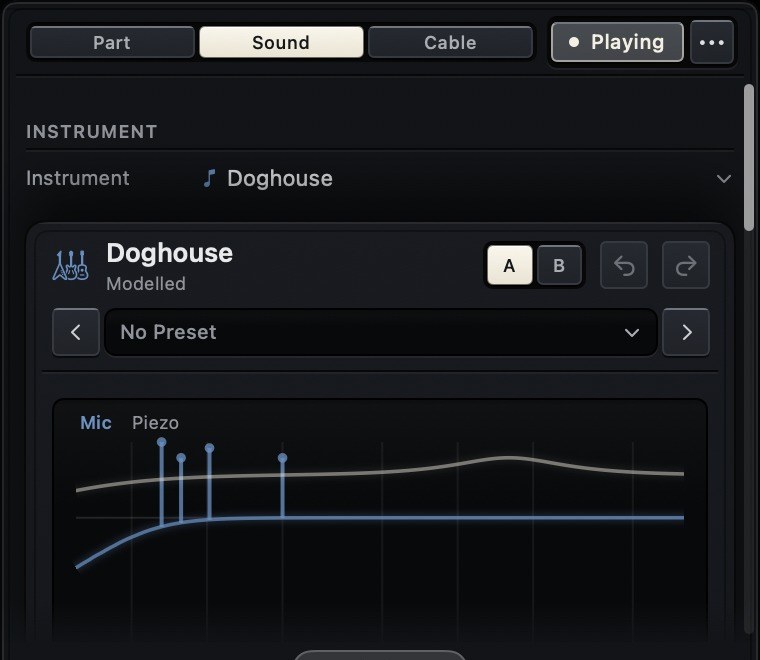
A complete backline is included, for you and for the band. 42 instruments are multisampled and 12 are physically modelled, among them grand and upright piano, tine and reed electric pianos, clavinet, tonewheel organ with drawbars and rotary speaker, upright and electric bass, strings, brass and woodwinds. The drum kits carry up to 4 velocity layers and 4 round robins per voice.
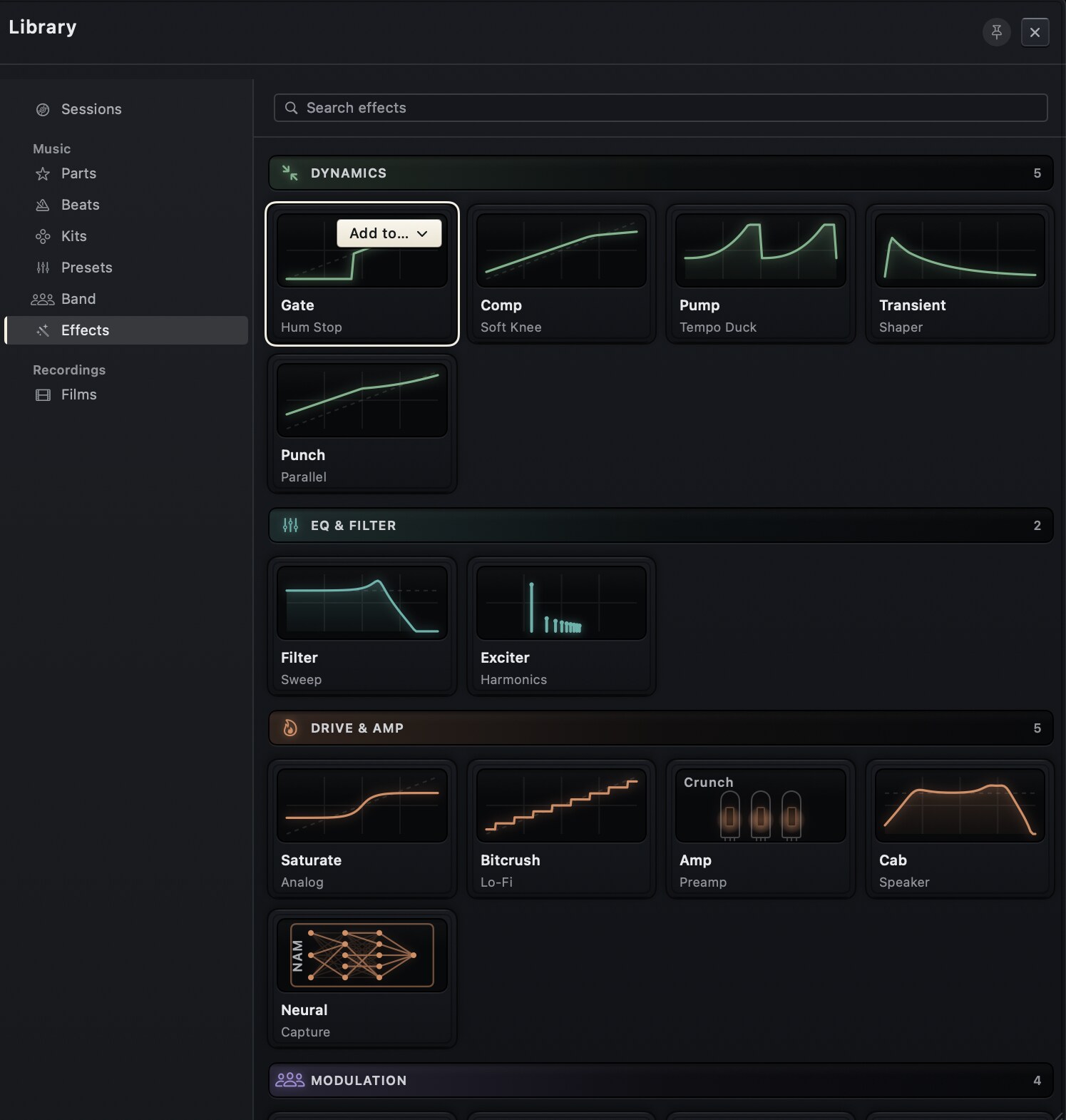
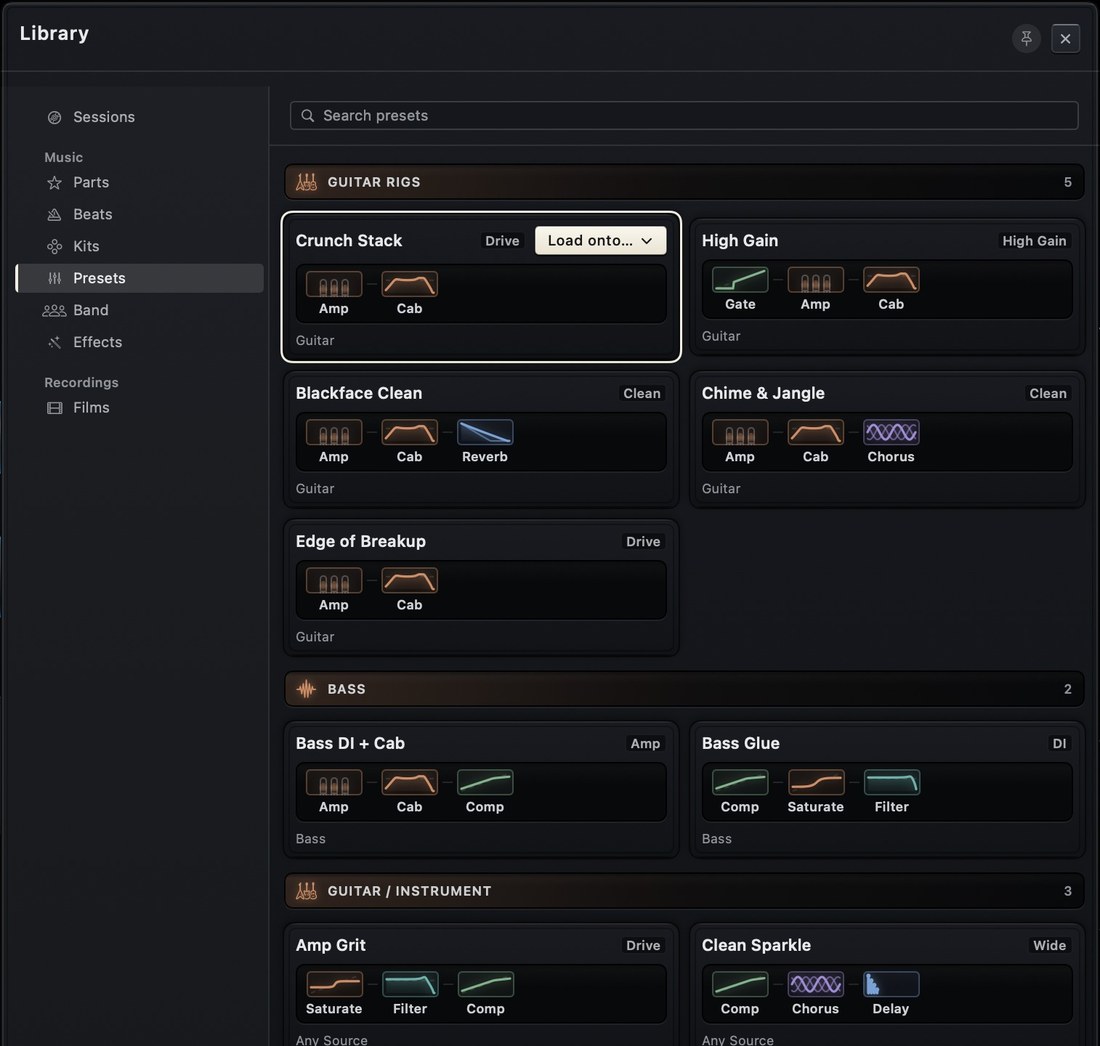
Your guitar plays through 5 amp models with modelled valve stages, tone stack and power-amp sag, 6 cabinets, 37 microphone captures and Neural Amp Modeler support. 73 instruments, 21 effects and 448 presets are included, and there is nothing else to buy.
- 73 instruments, 10 drum kits, 5 amp models, 21 effects
- 448 presets, including guitar and bass rigs
- Every bundled sample is public domain or freely licensed

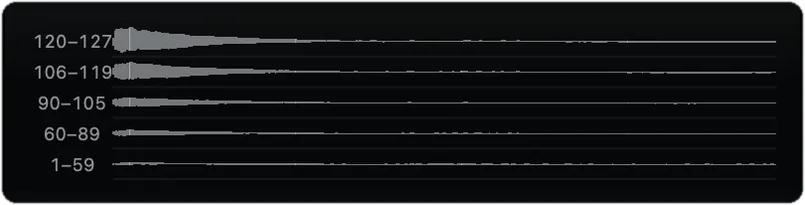
Instruments
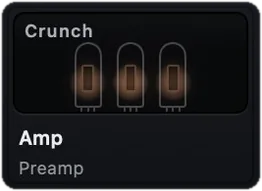
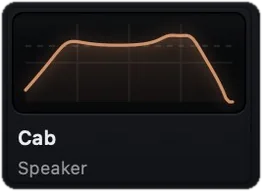
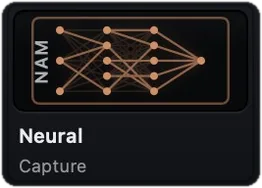
Amps and effects
Production
Integrated DAW
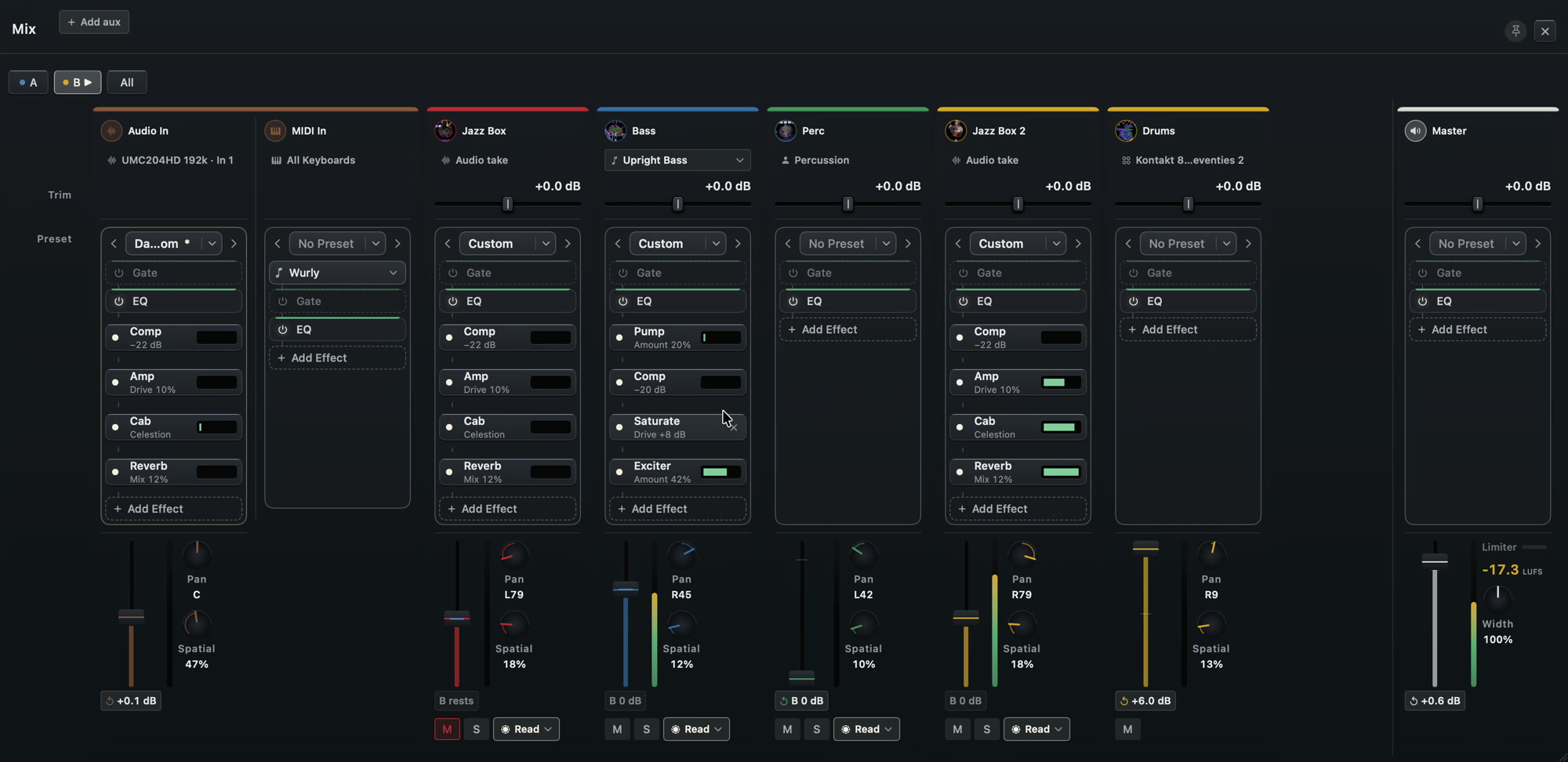
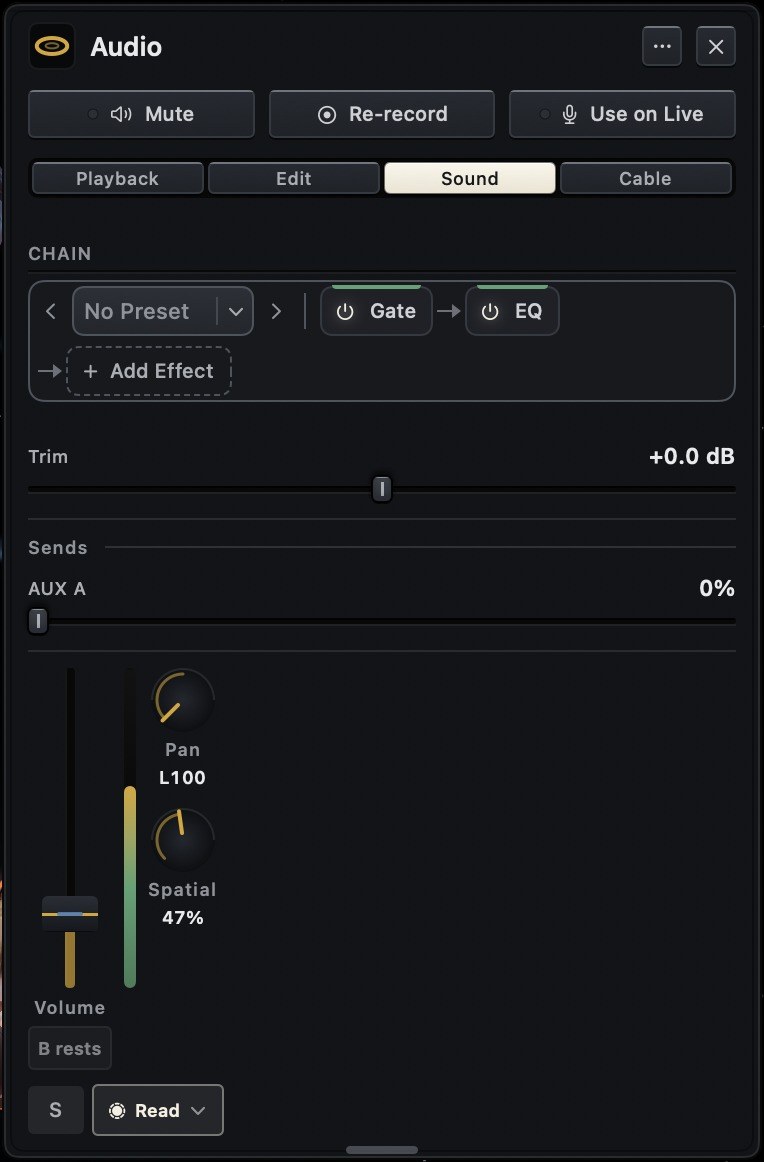
A full DAW is built into the instrument, and nothing has to be bounced or imported to reach it. Every loop and every player is already on a channel strip with gate, 5-band EQ, inserts and sends, under automation, on a LUFS-metered master. Every player's part is MIDI you can edit, and every chord is on the chart.
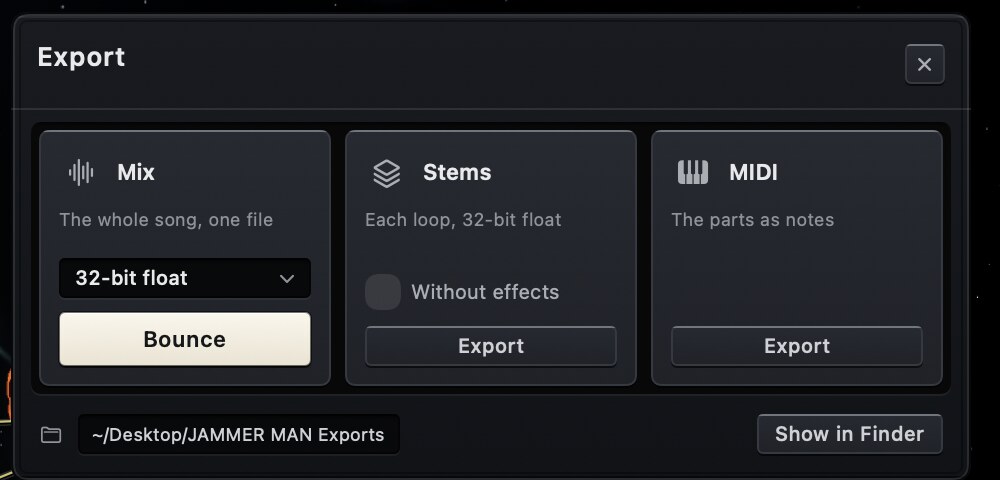
Arrange the sections into a song and the band plays it as a band would, with the transitions into each section and a hit, a tag or a fade to end. Re-pitch single notes inside a sung take. Export the mix, the stems and the MIDI with a tempo map.
Mixing console
A channel strip for every loop, player, input and aux, with gate, 5-band EQ and analyser, inserts and sends. Automation in read, touch and latch. The master has a lookahead limiter with LUFS and true-peak metering.
Song form
Record sections, set repeats and first and second endings. The whole band plays the transitions (risers, fills, breakdowns, half-time) and the ending.
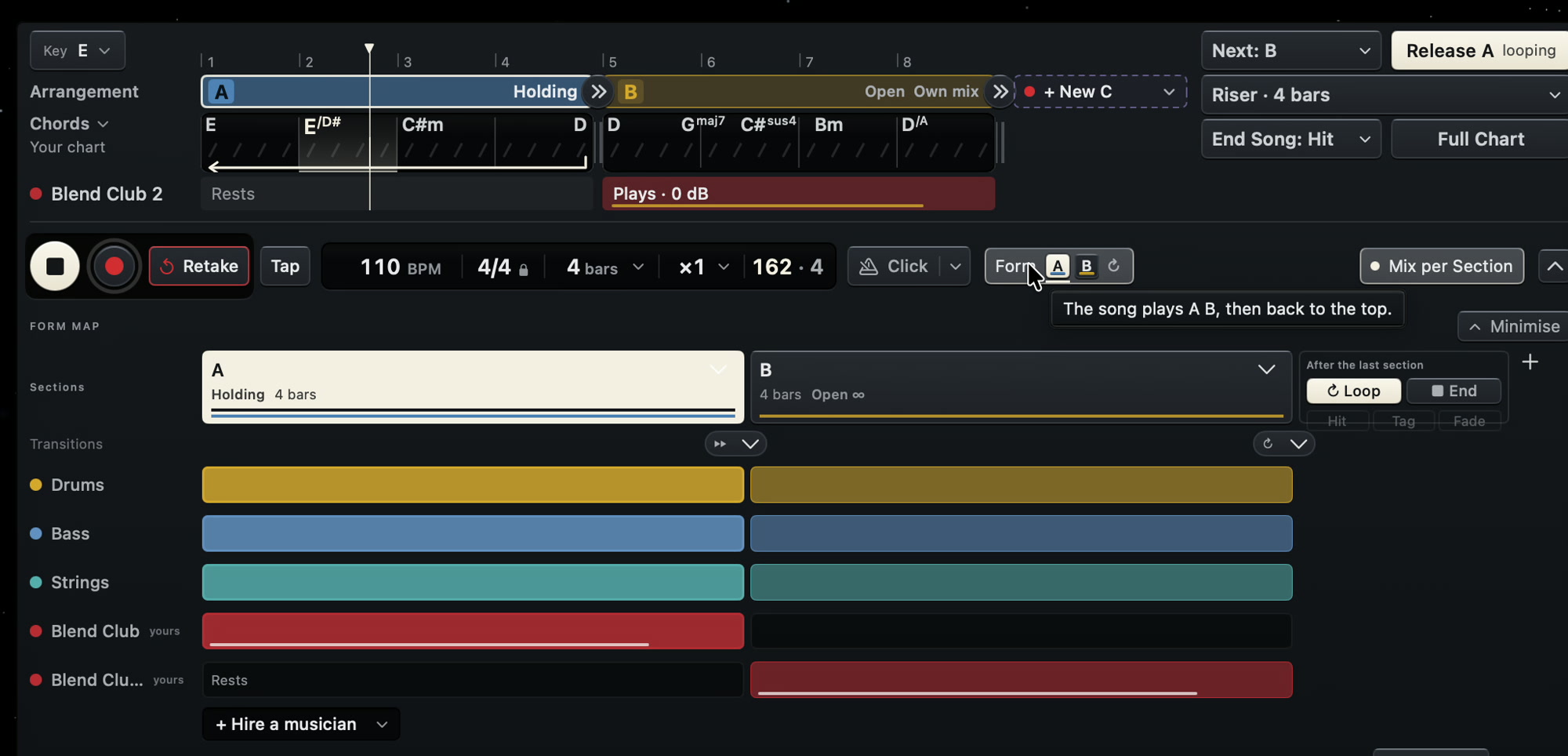
Recording
Recording arms whichever instrument you play and starts on the bar. Press record up to a 16th late and the downbeat is still captured. Loops run 1 to 16 bars in 2/4 to 12/8 and are placed to the sample.

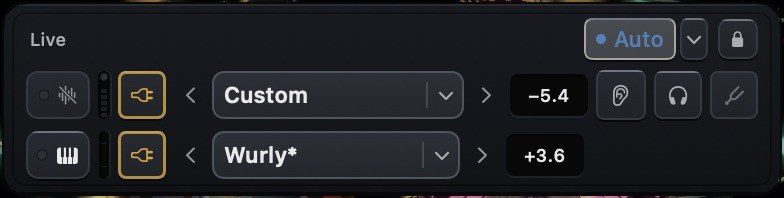
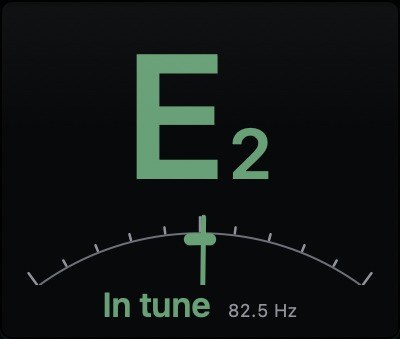
The live input card: instrument, level, monitor and tuner.
Editing
Move, re-pitch or delete single notes inside a sung or played take. Quantize audio and MIDI with strength and swing, and take the swing from the band or from the take.
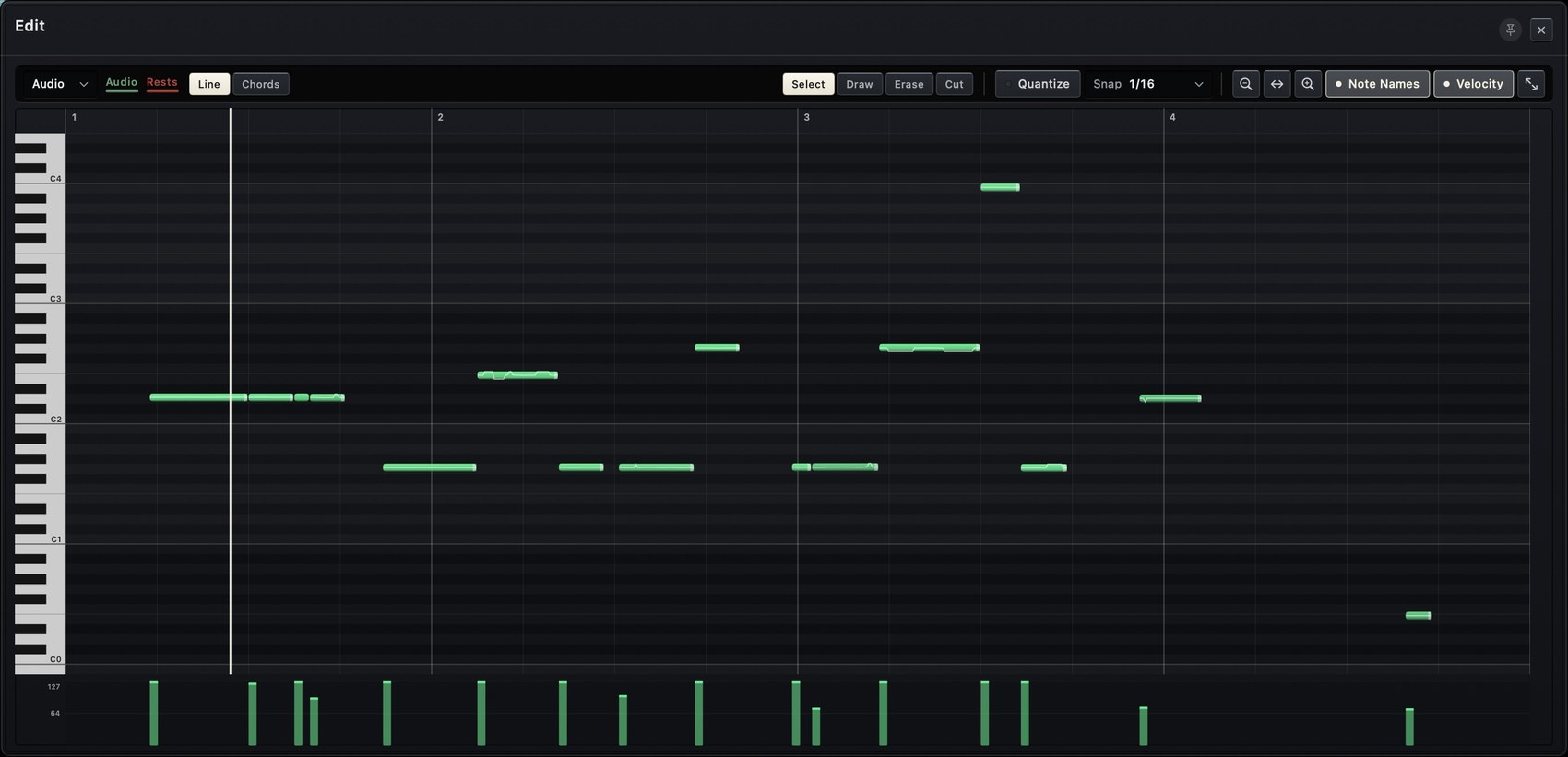
The piano roll on a recorded audio take.
Plug-ins and export
Audio Units instruments and effects load on any channel. Export the mix, the stems and the MIDI in 32-bit float with a tempo map. File names carry key, bars, meter and BPM.
The stage
Spatial mixing
You see the band where you hear it. Every loop and every player is a ring on a 3D stage, and its position is its mix. Left and right is pan, height is level, depth is reverb send. One drag does the work of three controls, on your loops and on the band alike.
Draw a path and a ring flies it on every pass of the loop. Store a mix per song section and it returns on the downbeat. Fly the camera through the stage and you hear the mix from where you are. A full channel strip is behind every ring, linked to the stage in both directions.
- Mix snapshots per song section, recalled on the downbeat
- Drawn motion paths that repeat with the loop
- The listening position follows the camera through the stage
Hand-tracking control
Stay at your instrument and mix in the air. The Mac's camera tracks your hands, with no controller and no extra hardware.
No other looper or DAW is mixed by hand in the air with the Mac's own camera.
Camera
Video loops and session film
You finish a session with a song and with the film of making it. Every loop is a video of you playing it, cut out of your room on the Mac with no green screen and placed on the stage beside the band.
You do not have to edit the film. JAMMER MAN cuts it on the bar lines, opens it on the strongest solo and captions what you did, in 9:16, 1:1 or 16:9, from 15 seconds to full length.
No other looper or DAW records video into the loops, and none hands you the edited film.
- 9:16, 1:1 and 16:9
- HEVC 10-bit HDR master, H.264 exports at −14 LUFS
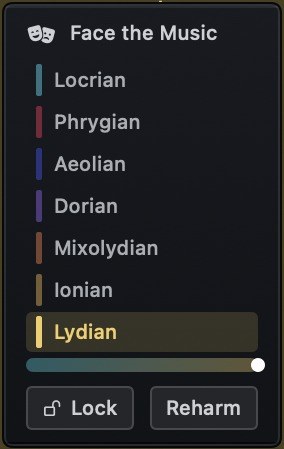
- Face the Music: your expression sets the mode of the stage, Lydian to Locrian
Feel
Micro-timing and feel
Most music software gives feel one control, a swing percentage. JAMMER MAN gives the drummer a Dilla slider that drags and pushes each drum separately, a second pulse in seven ratios against the bar, and separate timing for kick, snare and hats.
The band takes its swing from the drummer, so the swing you set on the kit is the swing of the band. Every player also has a pad for ahead of or behind the beat.
- Dilla amount from 0 to 100%
- Metric ratios: 3:2, 2:3, 4:3, 3:4, 5:4, 2:1, 1:2
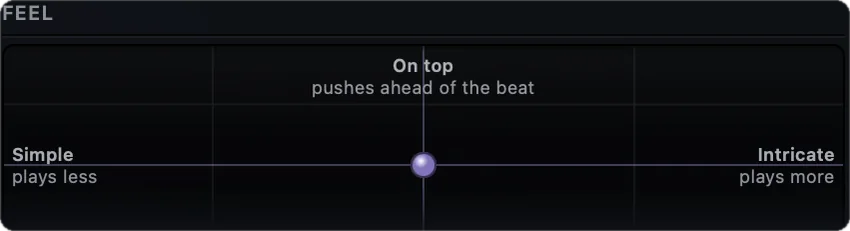
- A feel pad on every player
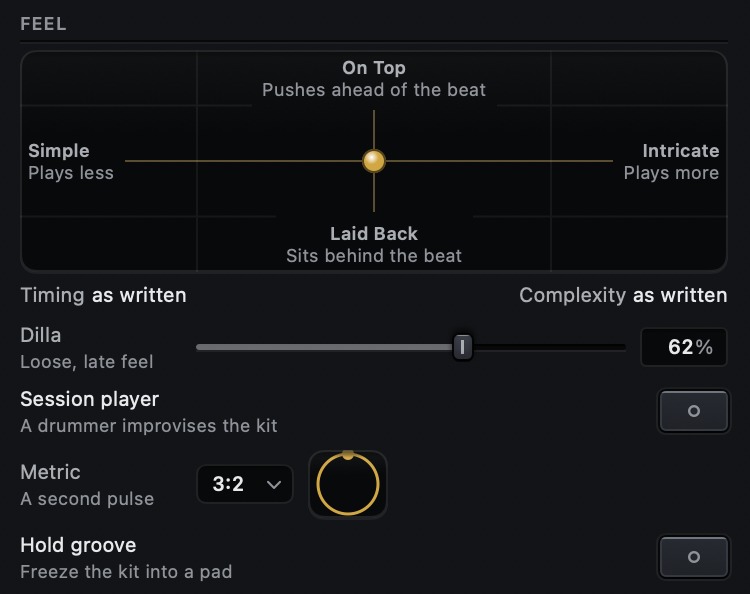
The drummer's Part tab in JAMMER MAN.
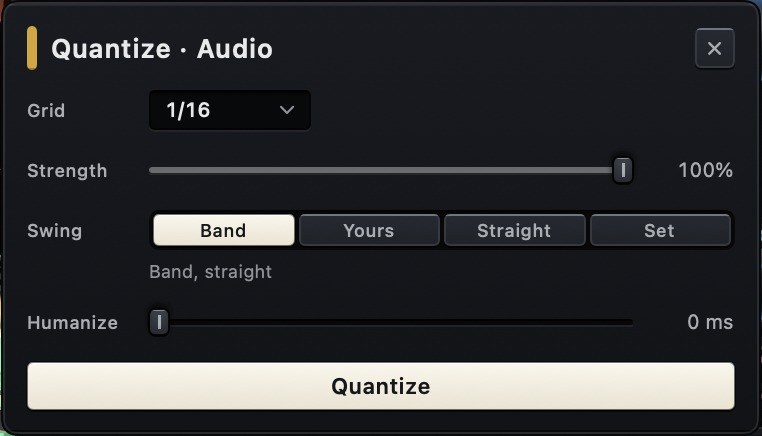
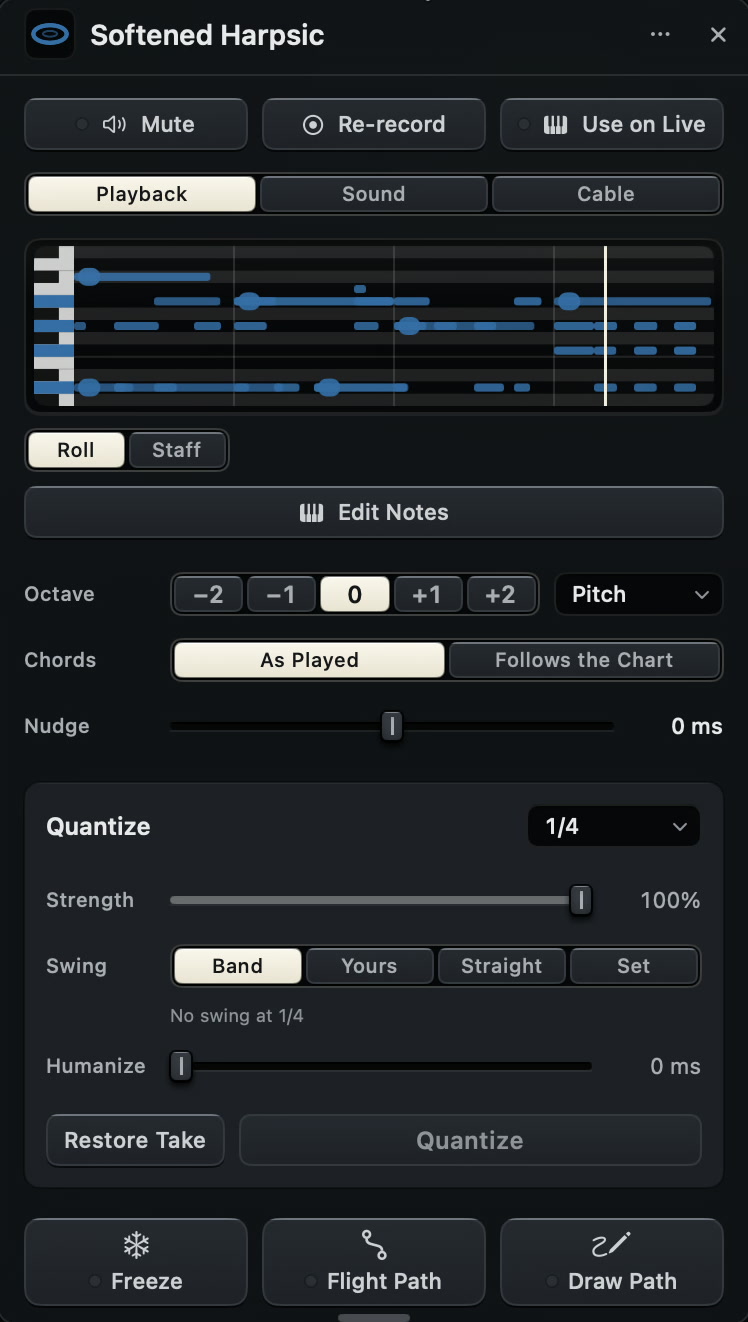
The quantize card of a recorded take.
Dilla
The loose, late feel of a J Dilla beat, on one slider. It is not a swing percentage. The snare lands late, the kick pushes or sits on the grid and the hats go uneven. The offsets are in beats, so the feel holds at any tempo, and a bar plays the same way every cycle.
Metric
A second pulse over the bar. The drummer plays 3:2, 2:3, 4:3, 3:4, 5:4, 2:1 or 1:2 while the band and the tempo stay where they are. The dial shows when the two pulses meet again.
Feel pad
One pad sets two things. Up pushes ahead of the beat and down sits behind it. Left plays less and right plays more.
Swing source
Quantize a take to the swing of the band, to its own swing, straight, or to an amount you set. Strength and humanize are separate.
Import
Stem separation import
Drop in a record and play in its band. Séance finds the tempo, the downbeat and the key and splits the recording into six stems, all on the Mac. Each stem is a ring on the stage. Mute the bass and play the bass yourself, then replace the other stems one by one with your own takes.

Specifications
Technical details
Band12
- Musicians
- Drums, bass, keys, guitar, percussion, strings and horns. Any number of each.
- Parts
- Composed per song as MIDI notes. Eight-bar phrasing, a different performance on every pass. Downbeats and chord changes are never moved.
- Drum library
- 692 performed grooves and 624 fills from the Groove MIDI Dataset by Google LLC, used under CC BY 4.0. 196 written grooves. Fills play on request.
- Meters
- Grooves written natively in 6/8, 12/8, 3/4, 5/4 and 7/4.
- Bass
- 64 figures. Notes written as chord functions, 37 chord qualities, slash basses.
- Keys
- 25 comping rhythms, 13 voicing families, voice-led by smallest motion.
- Percussion
- 20 patterns, among them clave 3-2 and 2-3, cáscara, tumbao and marcha.
- Part library
- 2,522 playing-style entries.
- Band controls
- Energy, density and humanize.
- Drum timing
- Per-voice offsets (snare behind, kick ahead). Cross-rhythm in 7 ratios: 3:2, 2:3, 4:3, 3:4, 5:4, 2:1, 1:2.
- Regenerate
- A new part for any musician in one step. Undo restores the previous part exactly.
- MIDI export
- One named track per musician.
Timing and interplay7
- Feel source
- The band takes its swing from the drummer. The drummer takes the swing of a MIDI loop through a feel cable.
- Kick
- Placed on the hits of the recorded take when the drummer is hired, with an adjustable threshold.
- Cables
- Eight types between any two players: lock, copy, against, trade, lean, dodge, answer, feel.
- Cable sources
- A recorded loop, a player, the kick, either hand of the drummer or the whole kit.
- Blend
- Written part against cables, 0 to 100% per player.
- Sidechain
- Duck or swell, with depth, attack and release.
- Trigger
- Every hit, 16ths and up, 8ths and up, strong hits, or downbeats.
Harmony4
- Chord detection
- From every loop, audio or MIDI, with slash basses and a key per section.
- Chart
- Editable lead sheet. Chord edits apply to every part. Entry by typing or from a circle-of-fifths wheel.
- Chart lock
- Lock the detected chart, or write one in advance.
- Audio loops
- Re-pitched to follow chord changes, set per take.
Direction (AI)8
- Scope
- One musician or the whole band per instruction: line, register, feel or sound.
- New parts
- An instruction to a player returns a complete new part, written as MIDI against the chart, the key, the meter and the rest of the band.
- Duration
- A number of bars, a section, or the whole song.
- Constraints
- Persistent rules ("never play on beat 1") until removed.
- Recorded loops
- Trim, reverse and gain by instruction.
- Verification
- New parts are written as notation and checked against the request before playback.
- Data
- Requests send text and notation only. Audio and video stay on the Mac.
- Offline
- Parts, grooves, variation and basic commands.
Mixing6
- Stage
- X: pan. Y: level. Z: reverb send.
- Channel strips
- Every loop, musician, input, aux and the master. Trim, gate, 5-band EQ with analyser, inserts, sends, pan and depth, linked to stage position.
- Automation
- Read, touch and latch. Mix snapshots per song section, recalled on the downbeat. Drawn motion paths, repeated each loop cycle.
- Master
- Lookahead limiter, LUFS and true-peak metering, stereo width.
- Gain staging
- Inputs, instruments and band gain-matched on load.
- Listening position
- Follows the camera through the stage.
Sound10
- Instruments
- 73: 42 multisampled, 12 physically modelled, plus synthesizers.
- Sampled
- Grand and upright piano, guitars, basses, strings, brass, woodwinds, mallets, choir.
- Modelled
- Tine and reed electric piano, clavinet, upright and electric bass, vibraphone, tonewheel organ with drawbars and rotary speaker.
- Drums
- 10 kits, up to 4 velocity layers and 4 round robins per voice. 26 percussion kits.
- Amps
- Clean, Chime, Crunch, Lead and Bass: modelled valve stages, tone stack and power-amp sag. 6 cabinets, 37 microphone captures.
- NAM
- Loads Neural Amp Modeler captures.
- Effects
- 21: dynamics, EQ and filter, drive, modulation, delay, reverb. 85 factory settings, A/B compare.
- Performance effects
- Freeze, echo throw, repeat and tape stop, per musician.
- Presets
- 448, including guitar and bass rigs.
- Licensing
- All bundled samples are public domain or freely licensed.
Recording6
- Arming
- Follows the instrument being played.
- Late start
- Record pressed up to a 16th late still captures the downbeat.
- Length and meter
- 1 to 16 bars or free; 2/4 to 12/8.
- Footswitch
- Record, retake, undo, next section and end, over MIDI.
- Latency
- Round trip measured per input and output route; takes placed to the sample. Manual offset in 0.5 ms steps.
- Loops
- Up to 24, crossfaded seams. Float32 WAV in an open session folder.
Editing and arrangement8
- Audio
- Move, re-pitch and delete single notes in sung or played takes.
- Quantize
- Audio and MIDI, with strength, swing and humanize. Swing reference from the band or the take.
- MIDI
- Piano roll and drum grid for every part, with pitch bend and velocity.
- Loop processing
- Reverse, octave shift, spectral freeze, slice and reorder, 3-band split.
- Time-stretch
- Pitch-preserving on tempo change.
- Song form
- Sections, repeats, first and second endings, per-section muting.
- Transitions
- Risers, filter sweeps, fills, breakdowns, half-time and tape stop, on the bar line.
- Endings
- Hit, tag or fade, whole band.
Plug-ins and I/O5
- Plug-ins
- Audio Units instruments and effects on any channel, each validated out of process. A drum plug-in can play the drum part.
- Export
- Mix, stems and MIDI. 32-bit float, or 24/16-bit with dither. Tempo map included; file names carry key, bars, meter and BPM.
- MIDI out
- Clock, transport, and every part on its own channel.
- MIDI in
- All connected devices at once.
- Audio devices
- Interface change during playback without stopping. Buffer 32 to 1024 samples.
Camera and film5
- Video
- On-device background removal, no green screen. Video plays inside each loop.
- Session film
- Auto-edited: cuts on bar lines, opens on the strongest solo, captioned. 15 s to full length; 9:16, 1:1 or 16:9.
- Codecs
- Master HEVC 10-bit with HDR. Exports H.264 at −14 LUFS, peaks below −1 dBTP.
- Expression
- Facial expression sets the stage mode, Lydian to Locrian.
- Looks
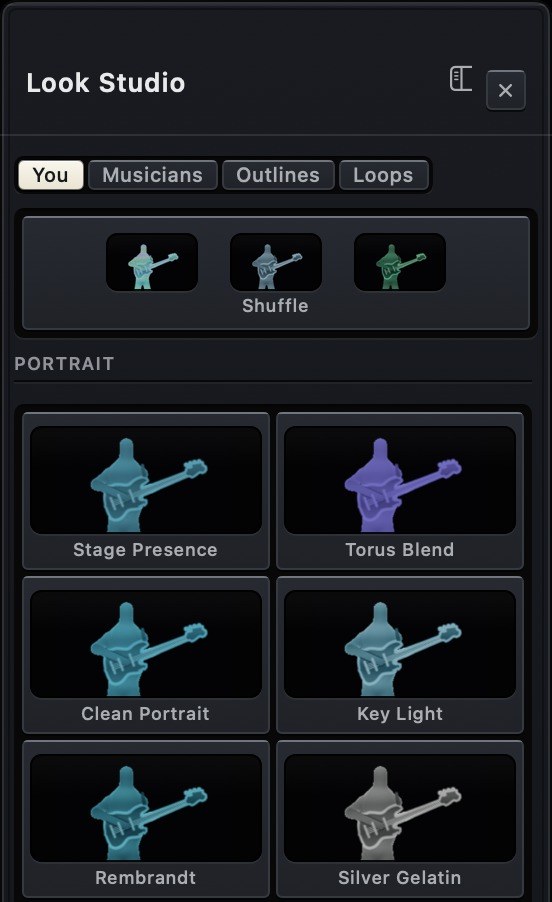
- 58 camera looks, 19 ring materials, 18 musician looks, 13 outline effects.
System5
- Requirements
- Apple Silicon, macOS 14 or later. Built-in microphone and camera supported.
- Audio engine
- Single sample clock. The whole instrument renders in one real-time callback, lock-free and allocation-free.
- Graphics
- Metal, 60 fps target. Under load resolution drops first, then video; audio is unaffected.
- On device
- 6-stem separation, camera segmentation and depth estimation.
- Sessions
- Autosave every 30 s, crash recovery, 50 undo steps.